
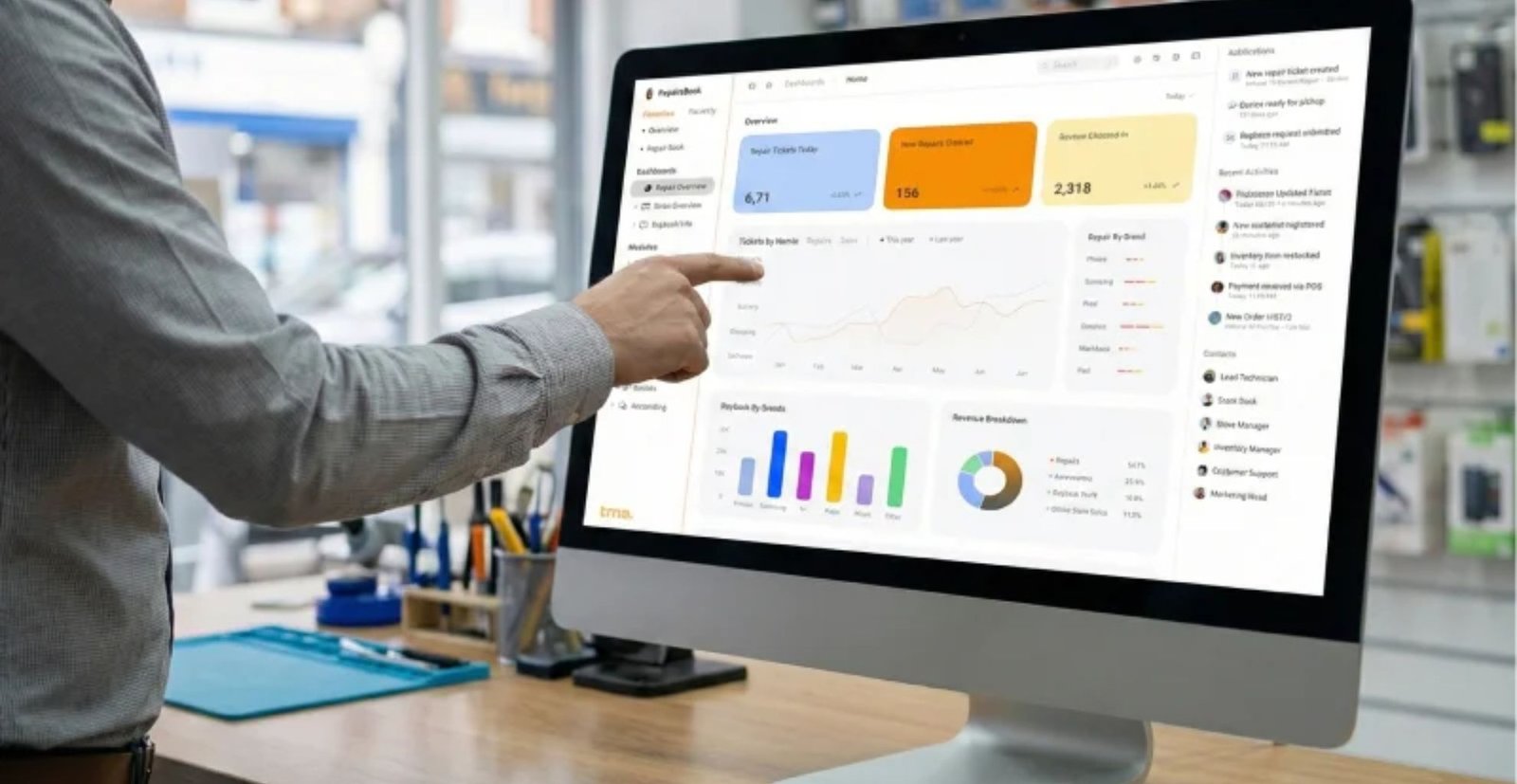
Running a mobile repair shop sounds simple until your day turns into juggling walk-ins, WhatsApp updates, parts shortages, messy notes, delayed payments, and “where did that device go?” chaos. This guide breaks down what a true all in one repair shop software should do: handle ticketing, workflow, inventory, POS / EPOS, invoicing, CRM, reporting, buyback/resale, and even multi-branch control in one place.
I’ll cover the exact features that actually reduce mistakes (not the fluffy ones), how automation improves efficiency, what matters for multiple locations, how to choose a repair shop management system that stays reliable under pressure, and a practical checklist to pick the right mobile repair software for your store.
Table of Contents
Why “all-in-one” matters (and why most setups are trash)
Most shops don’t have a “system.” They have a pile of tools:
- notes app for ticketing
- Excel for inventory
- a cheap till for POS
- WhatsApp for customer updates
- random invoices
- memory for warranties
That setup breaks the moment the shop gets busy. It’s complicated, it leaks money, and it kills customer trust.
A real repair store automation platform lets you say goodbye to chasing information across five places and say hello to one complete platform where the job moves from intake to payout without gaps.
Quick reality check table
| What goes wrong without an all-in-one system | What a proper platform fixes |
|---|---|
| Lost devices, missing notes, wrong status updates | Central ticketing + tracked workflow |
| Parts used but not deducted from stock | Linked jobs to inventory with automatic deduction |
| Invoices created late or incorrectly | Instant invoicing from the job card |
| Customers call 5 times for updates | Automated notifications via emails / SMS |
| No clarity on profit, tech performance, repeat customers | KPIs, reporting, and analytics |
What “The Complete All-in-One” should include (no excuses)
A real business management software for repair shops must cover the full cycle: customer, device, parts, labour, payment, and aftercare.
1) Job intake that doesn’t collapse under pressure
A proper system should let you create a ticket fast, without missing details:
- customer profile + CRM history
- device details (IMEI/serial, model, condition photos)
- fault description and estimate/quote
- expected turnaround time
- warranty rules and internal notes
This is where you build trusted operations. If intake is sloppy, everything after it is sloppy.
2) Ticketing + workflow that technicians actually follow
Your workflow must be simple enough that staff use it, and strong enough to track reality:
- custom statuses (Diagnose → Awaiting Parts → Repairing → Ready)
- assign techs by availability
- internal notifications when status changes
- a clear job board for high-volume days
This is how you run like a one-man army even when you are short-staffed.
POS/EPOS and invoicing: the money side must be airtight
If your POS is separate from your repair tickets, you will lose money. Period.
A true POS / EPOS setup inside your repair shop management system should support:
- counter sales for accessories
- bundled sales (screen protector + fitting)
- split payments and deposits
- instant receipts
- end-of-day cash-up, discrepancies, and audit trails
And invoicing should not be an afterthought. The invoice must be generated from the ticket, with:
- parts + labour line items
- taxes, discounts, coupon / promos
- warranty notes
- payment links where needed
That is how you stay accurate and look professional.
Inventory: where most shops bleed cash
Inventory is where “busy” shops quietly die. Over-ordering, dead stock, lost parts, and “we had it yesterday” moments.
Your inventory engine must handle:
- serialised items tracking
- barcodes and barcode printing
- low-stock alerts
- suppliers + purchase orders
- transfers between warehouses and stores
- stock linked to jobs (so parts used are deducted automatically)
Inventory control checklist table
| Feature | Why it matters |
|---|---|
| barcodes + scanning | Speed + fewer mistakes |
| purchase orders + suppliers | Clean restocking and accountability |
| low stock alerts | No lost sales from missing parts |
| serial/IMEI tracking | Stops fraud and warranty disputes |
| multi-location transfers | Keeps stock moving efficiently |
This is where real-time accuracy pays you back every single day.
Buyback and resale: the missing profit engine
Most repair shops treat buyback like a side hustle. That’s dumb.
An all-in-one platform should let you:
- log buyback devices with condition + grading
- attach testing checklist and photos
- track refurb costs (parts + labour)
- convert to resale stock automatically
- sell it through the same POS and keep the history attached
That’s how you turn repairs into a full-service operation instead of only depending on walk-ins.
CRM + communication tools that build repeat business
If your customer data is just a phone number in WhatsApp, you don’t have CRM. You have a mess.
A real CRM inside your mobile repair software should:
- store full repair history
- show lifetime value, device history, warranty claims
- enable integrated communication tools
- help you build customer relationships
- trigger follow-ups that create repeat business
That is how you attract new customers through referrals and consistent service, instead of begging for leads every month.
Reporting, KPIs, and “what’s actually happening” intelligence
If you can’t see what’s happening, you can’t fix it.
A proper dashboard should show KPIs like:
- ticket turnaround time
- tech productivity
- parts usage and wastage
- revenue split (repairs vs retail vs resale)
- refund rate and discount leakage
- top faults, top devices, repeat customers
Simple KPI table (what you should monitor weekly)
| KPI | What it tells you |
|---|---|
| turnaround time | bottlenecks in your workflow |
| profit per ticket | pricing and parts control |
| technician output | staffing and training gaps |
| low-stock incidents | inventory planning weakness |
| repeat customers | whether your service builds loyalty |
This is the “intelligence” layer. It’s the icing on the cake only after the basics are solid.
Cloud-based: what it should really mean
A cloud based system should mean:
- works in a browser, no messy installs
- updates handled without downtime drama
- secure access controls for staff roles
- access from computer and phone (and tablets)
- stable backups and secure data handling
You should be able to run the shop while running aboard (traveling) or off-site without losing control.
If a tool claims “cloud” but breaks the moment your internet stutters, it’s not enterprise-grade, it’s a toy.
Multi-location: the moment you scale, weak systems collapse
If you plan multiple locations, your software must support:
- location-level pricing and services
- role permissions per branch
- centralized reporting across locations
- stock transfers between branches and warehouses
- consistent templates and settings
A proper platform keeps all locations covered without turning management into a full-time headache.
Integrations: only the ones that matter
Integrations are useful only when they remove manual work. The platform should be ready for common needs like:
- eCommerce sync (orders, stock, products)
- payment gateways / payment links
- messaging (email/SMS)
- accounting exports
- public API for custom connections
If a vendor uses “integrations” as marketing but you still copy-paste everything, that’s not integration, it’s theatre.
What to look for in a user-friendly interface and support
When it’s busy, nobody reads manuals. You need a user-friendly interface that is fast, clear, and doesn’t hide key actions.
Also, responsive support matters more than fancy features. When something breaks at 6pm on a Saturday, you need help, not excuses.
A practical “is this the right software?” checklist
Use this before you commit to any repair shop management system:
| Question | If “no”, don’t buy |
|---|---|
| Can it handle tickets, POS, inventory, invoicing in one flow? | You’ll keep duplicating work |
| Can staff follow the workflow without confusion? | Adoption will fail |
| Does it support multi-location properly? | Scaling will hurt |
| Can you track serialized parts/devices and warranties? | Disputes will rise |
| Does reporting show real KPIs, not vanity graphs? | You’ll stay blind |
Frequently Asked Questions
Is “all in one repair shop software” only for big chains?
No. It’s often more valuable for smaller teams because it reduces chaos and lets you operate like a bigger shop without extra admin.
Will it work for both repairs and retail sales?
It should. A proper system includes POS / EPOS plus repair ticketing, so repairs and accessory sales live in the same place.
What makes repair store automation actually useful?
Automation is useful when it removes repetitive admin: status updates, stock deductions, reminders, follow-ups, and consistent invoicing.
Do I need special hardware?
Most modern platforms work with standard devices (browser-based on computer and phone) and can support barcode scanners and receipt printers depending on your setup.
How do I avoid hidden charges?
Simple: don’t accept vague pricing. Any serious vendor should clearly state plan limits, add-ons, and whether you can change plans anytime.
Final word: what “complete” should feel like
When you choose the right business management software for repair shops, your day changes. Tickets don’t get lost, parts don’t disappear, staff know what to do next, and customers stop chasing you for updates. Your shop runs as one connected system: ticketing, workflow, inventory, POS, invoicing, CRM, and reporting working together. That’s the whole point of an all-in-one platform like RepairsBook: to streamline operations, increase efficiency, and give you the control to scale without turning your business into a daily fire drill.